
Hybrid SDI & SMPTE ST 2110 Waveform Monitors
Monitor SDI and IP signals up to 8K with customizable software and flexible form factors for engineering, production, and technical QC.
WHY CHOOSE TELESTREAM
Flexible form Factor
and Connectivity Options
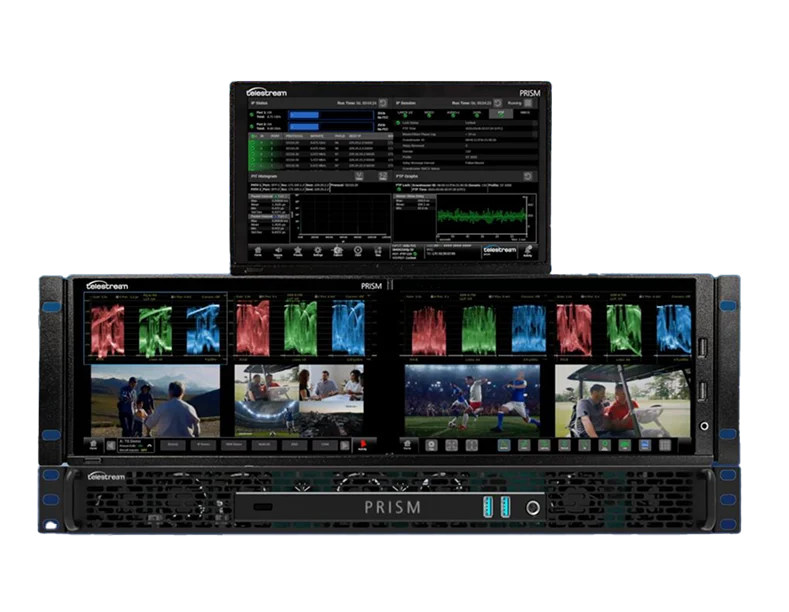
PRISM is designed to support SD to 8K, IP, and SDI signals in one unified solution. Whether you are managing live production, post-production, or technical QC, PRISM offers flexible form factors and customizable tools that simplify signal monitoring and control, ensuring high-quality output every time.
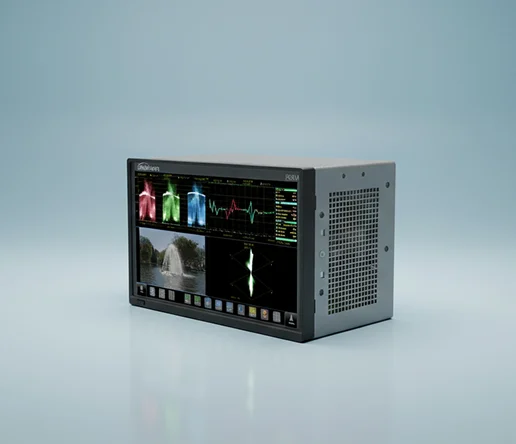
PRISM MPS Series
- Integrated Touchscreen
- 3RU height, Half Rack width, 5” depth
- MPS-100 SDI connectivity
- MPS-200 SDI and IP connectivity
- MPS-300 SDI, IP connectivity with SDI Eye/Jitter measurements
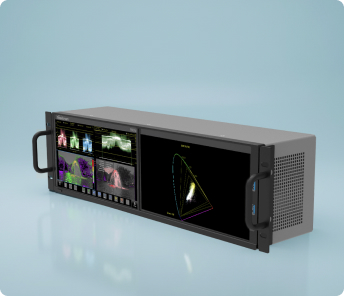
PRISM MPD Series
- Dual Integrated Touchscreen
- 3RU height, Full Rack width, 5” depth
- MPD-100 SDI connectivity
- MPD-200 SDI and IP connectivity
- MPD-300 SDI, IP connectivity with SDI Eye/Jitter measurements
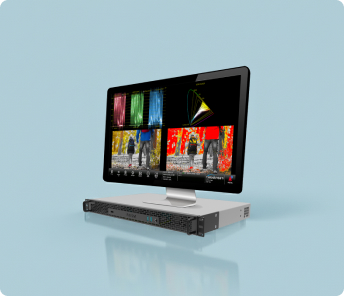
PRISM MPP
- Purposely built for quiet workspace
- SDI inputs with loop through
- Two Display Ports are available to drive external PC displays
- 1RU Full Rack width with 11” depth
- MPP-100 SDI connectivity
- MPP-200 SDI / IP connectivity, 8ch Analog Audio output
- MPP-300 SDI / IP connectivity with SDI EYE/Jitter measurement, 8ch Analog Audio output
Learn More
Related Resources


Advanced Signal Monitoring Capabilities for Modern Production Needs
PRISM monitors provide a full suite of tools designed to deliver in-depth analysis of video, audio, and ANC data signals, ensuring accurate levels, color accuracy, and overall quality.
PRISM’s user interface is highly customizable, allowing users to tailor the instrument for specific operational needs. A range of software applications and flexible display options can be saved as presets for fast, consistent instrument setup across workflows.
PRISM enables fast, effective remote troubleshooting with built-in webRTC and noVNC applications. Users can access PRISM’s full-featured interface from anywhere for fast issue identification and resolution. HTTPS is supported for secure communication protecting the data from being intercepted or tampered with by attackers.
PRISM equips editors and colorists with a comprehensive set of tools to ensure accurate color correction and grading. From standard waveform and vector displays to advanced tools like Lightning, Diamond, STOP, and CIE, PRISM supports precise evaluation of both SDR and HDR content with integrated 3D LUT, ensuring consistent, high-quality visual output across all formats.
PRISM is an invaluable tool for identifying and resolving signal issues in SDI or IP environments. It checks for distortions in the signal path and pinpoints timing and synchronization errors, helping maintain signal integrity throughout the production and broadcast chain.
PRISM offers modular designs with small flexible form factors ideal for tight spaces in mobile production consoles or fully remote environments. With software-defined functionality, users can tailor features to meet specific operational needs and scale capabilities through easy upgrades as needs change.
Base Model Equipped with a Powerful Suite of Standard Applications
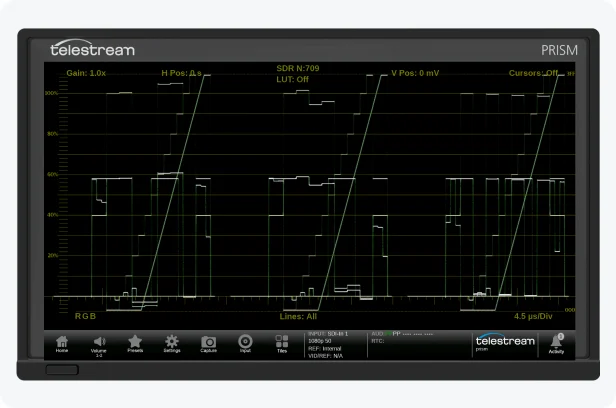
Waveform Display
Provides an array of configurations for various displays of YPbPr, YRGB or RGB with a variety of Gain, Sweep, MAG and Line Select functions and the ability to add cursors for precise measurement within the trace, and integrated 3D LUT for HDR/SDR production with option PROD.
Learn More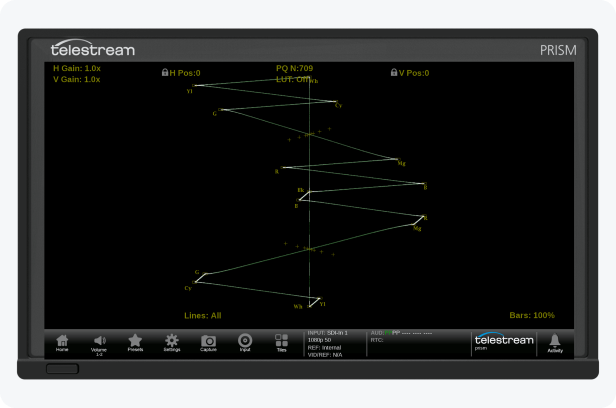
Vector Display
Allows the user to adjust the Saturation and Hue of the color components with adjustment of Gain, Line Select or bar format (100% / 75%).
Learn More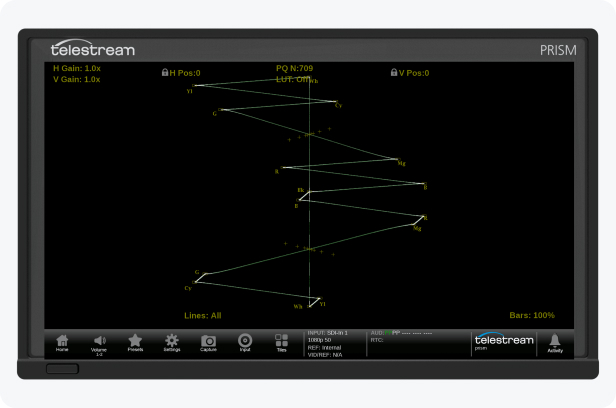
Lightning Display
An X-Y plot of Luma versus Pb in the upper trace and negative Luma versus Pr in the lower trace for easy identification of the component. Provides inter-channel timing of the YPbPr components and simple adjustment of the black level using Gain and MAG.
Integrated 3D LUT is available for HDR/SDR production with option PROD.
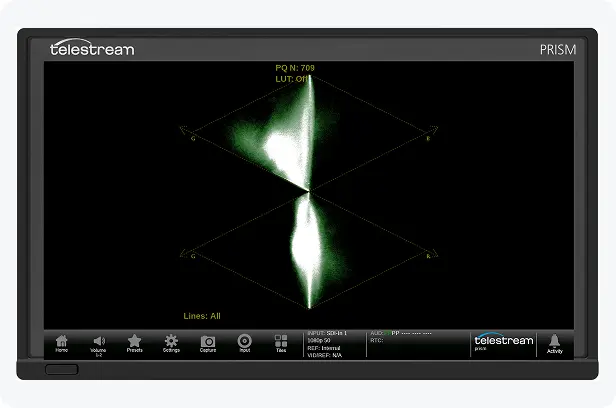
Diamond Display
Provides an X-Y Plot of G versus B in upper trace and G versus R in lower trace for easy identification or RGB components. Used by Camera Shaders and Colorist for simple adjustment of the RGB signal.
Integrated 3D LUT is available for HDR/SDR production with option PROD.
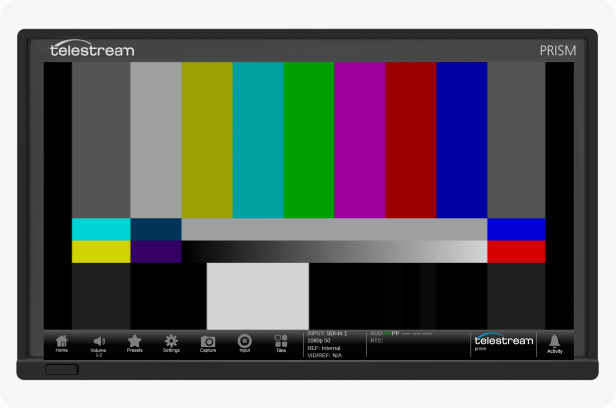
Picture Display
Shows a decoded image of the currently selected input. For visual identification of the image and to aid in troubleshooting issues.
Overlayed information helps to identify signal formats and picture characteristics. With option PROD, various False colors help to identify the interested region. Integrated 3D LUT is available for HDR/SDR production.
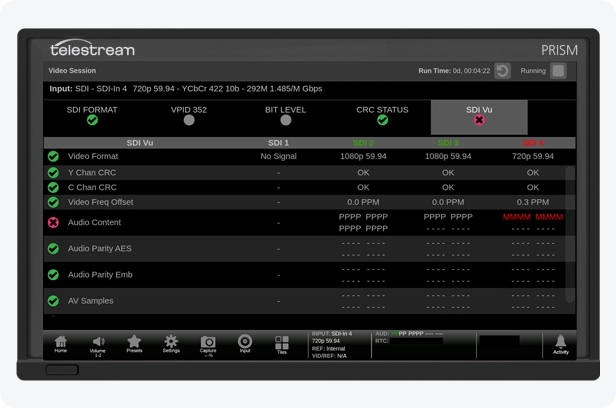
Video Session
Provides a summary of Format with VPID SMPTE ST352, Bit Level and CRC Status and a summary of ST 2110-22 JPEG XS when decoded with option JPXS. SDI Vu provides continuous updates of each SDI input status which will be logged in Event log and reported through SNMP / API and Dashboard.
Learn More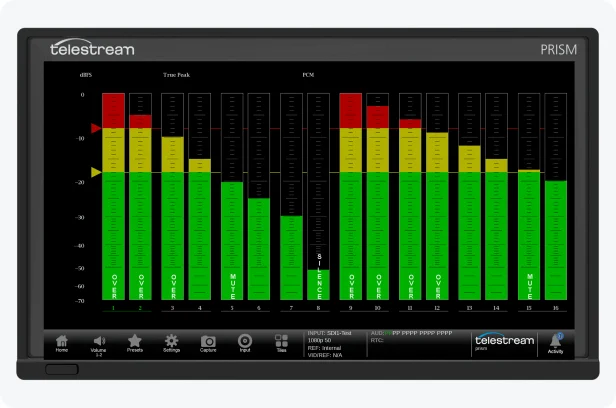
Audio Display
For the selected input audio levels can be show for each audio channel with in-bar indication for such events as over, clip, mute and silence. With configurable ballistics for True Peak, PPM1 and PPM2. 32 channel audio bars can be monitored within 2 tiles. AUX displays including Audio phase are available with option AUD.
Learn More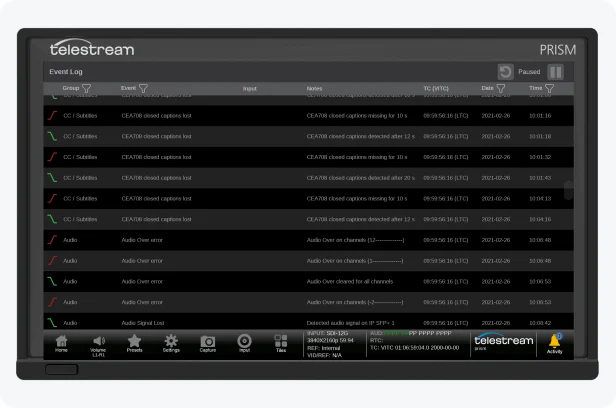
Event Log
Shows a list of alarm events related to Source and Time the event occurred relative to internal time or derived from the input Timecode or PTP Time. SNMP Trap can be set for events logged in Event Log.
Learn More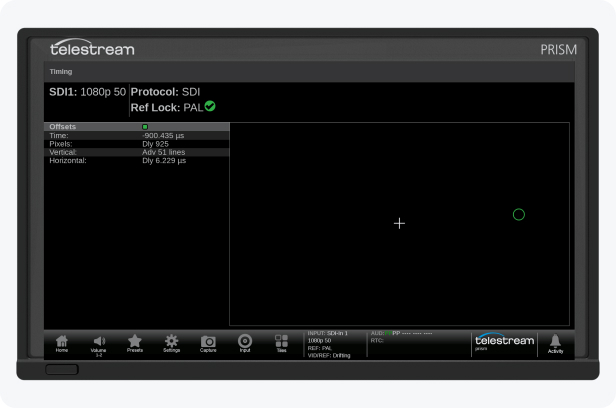
Timing Display
Show the input timing relative to the reference of Black Burst, Tri-Level or PTP (Requires option IP-MEAS) and allows the user to make simple timing adjustments to ensure synchronization within the facility.
Learn More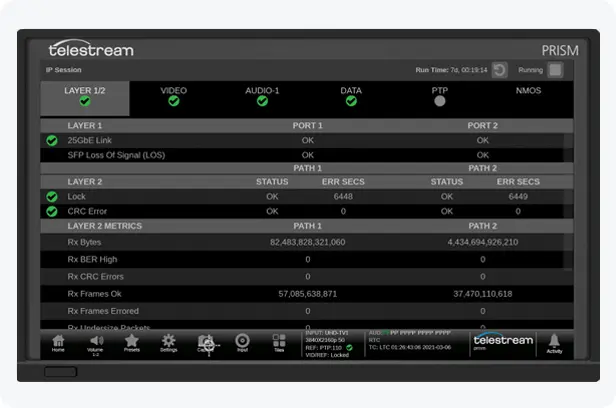
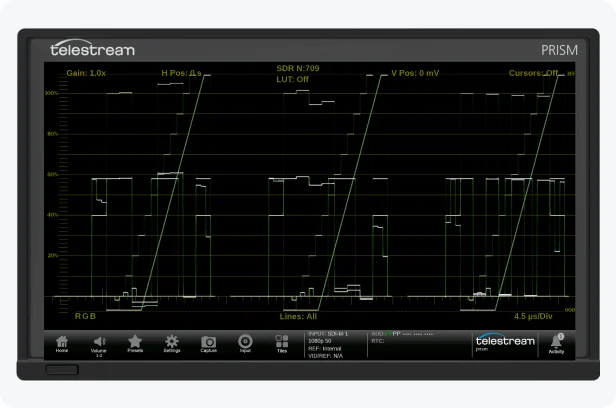
External Reference Display
When an analog reference is connected to the rear of the instrument this display will show the waveform trace of NTSC, PAL or Tri-Level Sync signal with a variety of Gain Sweep and MAG controls.
Learn More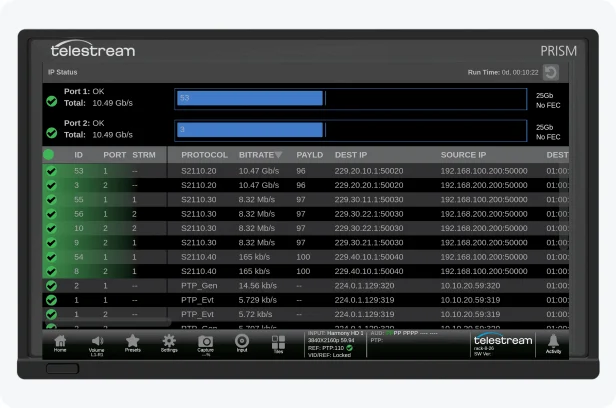
IP Status
For IP signals, it provides a summary of Protocol, Bitrate, Payload Type, IP/MAC addresses, PTP Domain, Sequence Error, RTP Clock and RTP Marker Frequency for either SFP ports.
Learn MoreExpand the Standard Capabilities to Unlock More Measurements for your Specific Application
IP Session
IP Session provides a summary of information for the decoded stream. With information on Layer 1 and 2. Along with syntax information on the video, audio and data streams. Summary information is provided on PTP and NMOS applications to assist the user in diagnosing problems. Requires option IP-MEAS to be installed in the instrument.
Learn More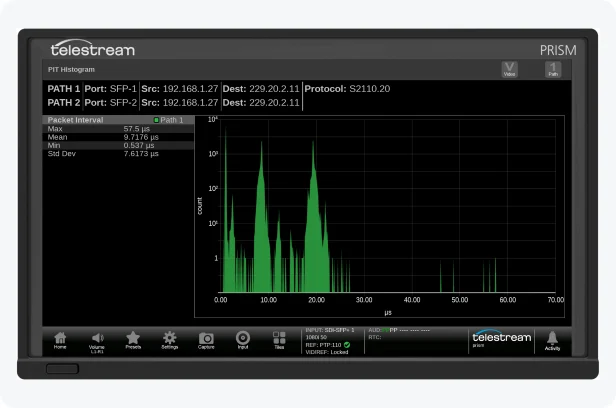
PIT Histogram
PIT Histogram provides a graphical plot of the packet arrival times of the signal being decoded for video, audio and data. The characteristic signature of the Histogram can be used to diagnose the type of Sender and help determine issues with network congestion.
Requires option IP-MEAS to be installed in the instrument.
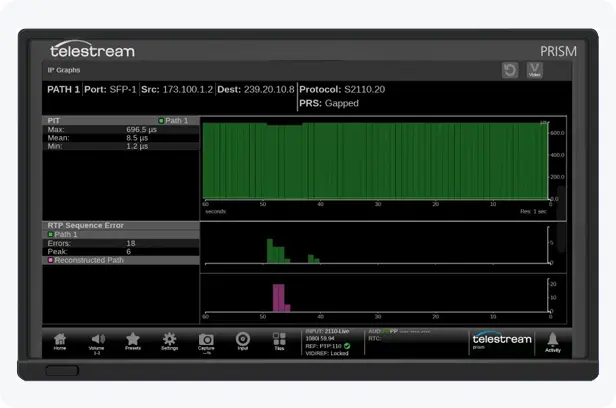
IP Graphs
IP graphs provides graphical plots of parameter such as Total Bit Rate, Session Bit Rate, PIT arrival time and RTP Sequence Errors. These graphs can be plotted from the last 60 seconds to twenty-four hours. Allow users to see trending information of their decoded streams over time.
Requires option IP-MEAS to be installed in the instrument.
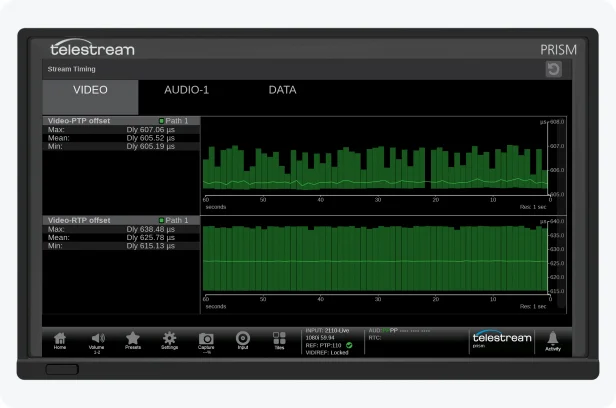
Stream Timing
Provides graphical plots of the timing for ST 2110 video, audio and data. Comparing the data as it was received by PRISM relative to the embedded RTP time stamps and PTP. Stream Timing can be used to check the synchronization of each sender to PTP for the various flows.
Requires option IP-MEAS to be installed in the instrument.
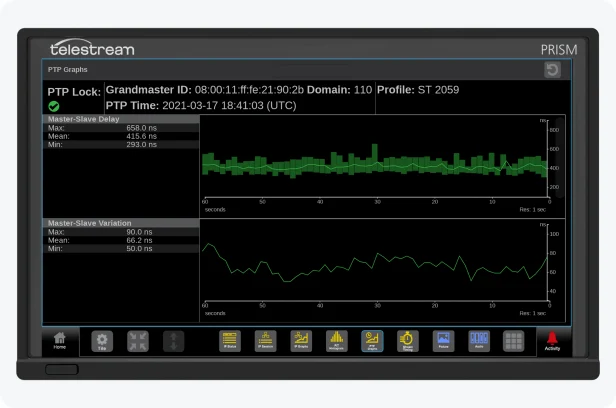
PTP Graphs
Trending graphs of various performance parameters of the PTP signal can be plotted from 60 seconds to 24 hours. Allowing users to track the stability of PTP within the network.
Requires option IP-MEAS to be installed in the instrument.
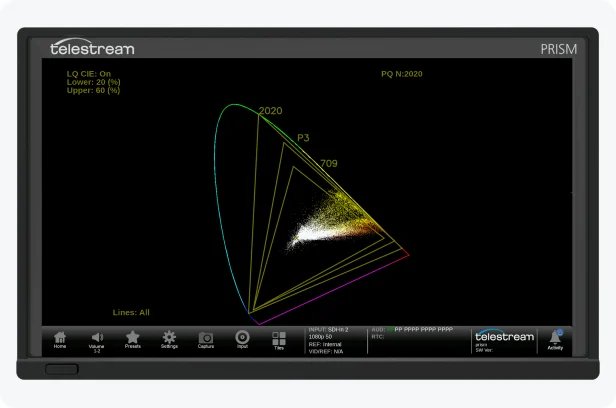
CIE Display
Video data is plotted as either a 1931 or 1976 CIE diagram. This display can be used to check the chromaticity of the video signal and determine compliance to specific gamut limits such as BT.2020, DCI-P3 or Rec 709. With Luma Qualified CIE, the user can define a luma range that constrains the display.
Requires option PROD to be installed in the instrument.
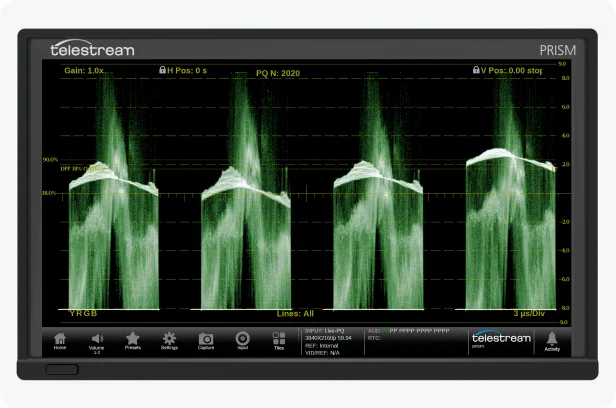
Stop Display
The Telestream Stop Display provides a tool to monitor the video signal with a variety of transfer functions in a consistent manner. This simplifies monitor of camera raw and High Dynamic Range (HDR) content to provide a consistent look. Integrated 3D LUT can be applied for HDR/SDR production.
Requires option PROD to be installed in the instrument.
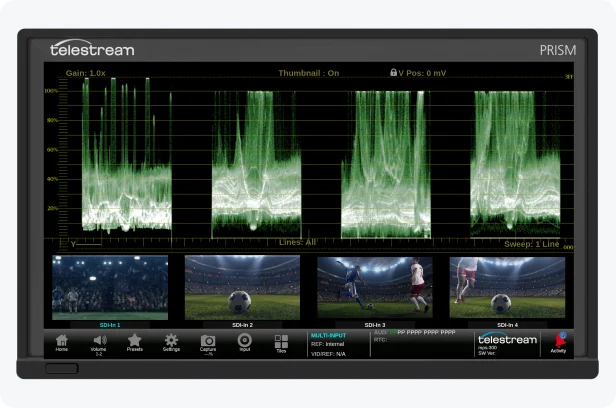
CAM
Camera Alignment Monitoring allows the user to monitor up to four SDI waveform inputs simultaneously. This is ideal for camera balance and shading applications allowing the user to compare levels across the various inputs in YRGB parade. A thumbnail and input identification are also available in this mode.
Requires option MULTI to be installed.
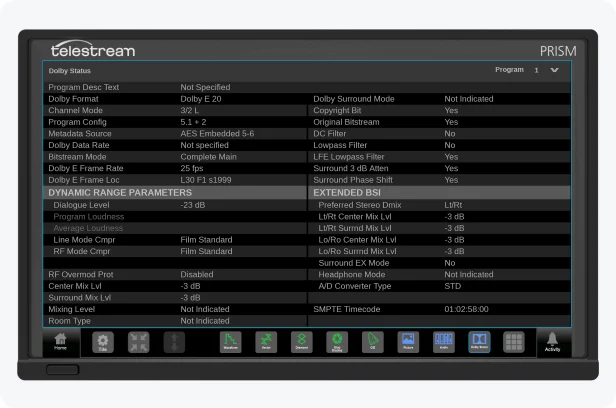
Dolby Status
This display shows the Dolby Metadata present within the Dolby signal or present within an ANC Packet as standardized in SMPTE ST 2020.
The AUD option is required, and if the user wants to decode the Dolby signal option, DLBY is required.
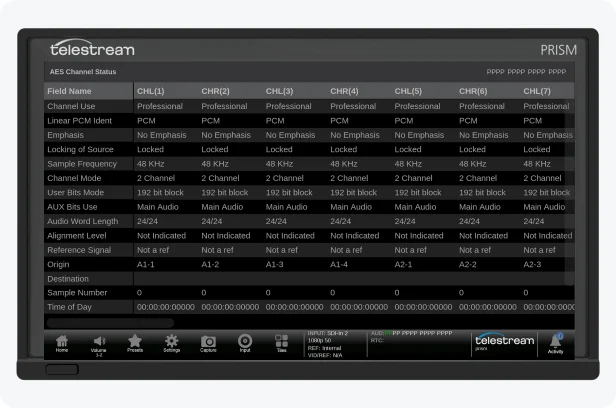
AES Channel Status
AES Channel Status display provides information on the audio signals Channel Status bits. When the Channel Use mode is shown as Profession, the syntax can be automatically decoded.
The AUD option is required for this application.
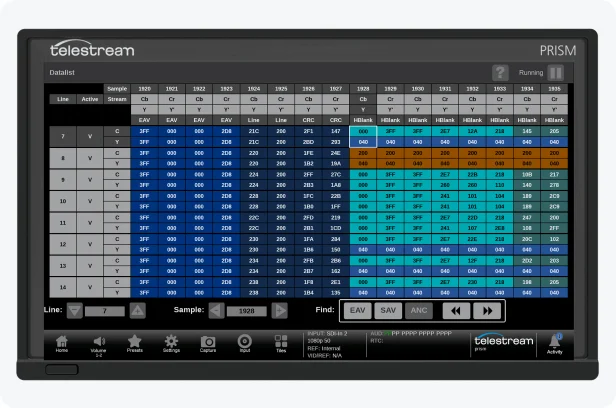
Datalist
Datalist display can be used to view the samples of the SDI signals. The user can search through the data for Start of Active Video (SAV) or End of Active Video (EAV) or the next ANC Data packet.
Option ENG-QC is required for this application.
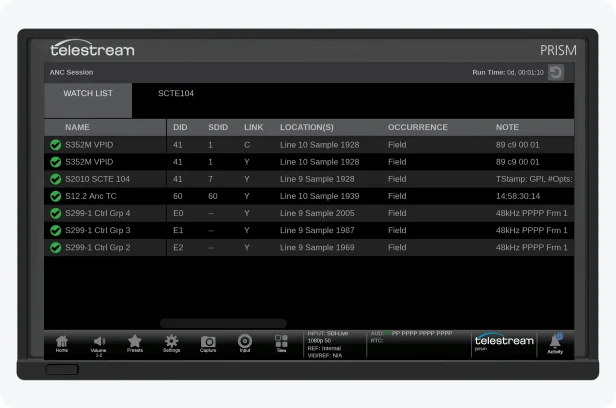
ANC Session
ANC Session provides a watchlist of the available Ancillary Data types present within the signal and provides information on DID, SDID, Link, location and occurrence of the packets, with decoding of SCTE 104 messaging.
Option ENG-QC is required for this application.
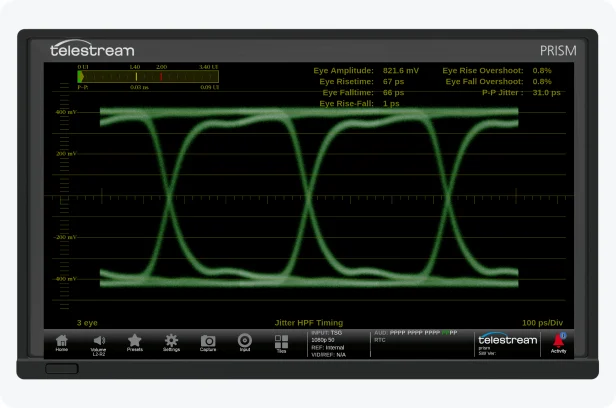
Eye Display
The Eye Display provides a measurement of the SDI physical layer for Timing and Alignment with automated measurements.
The Eye Display feature is available in MPS300, MPD300, and MPP300 as standard. The FMT-4K option enables the support for 6G and 12G SDI.
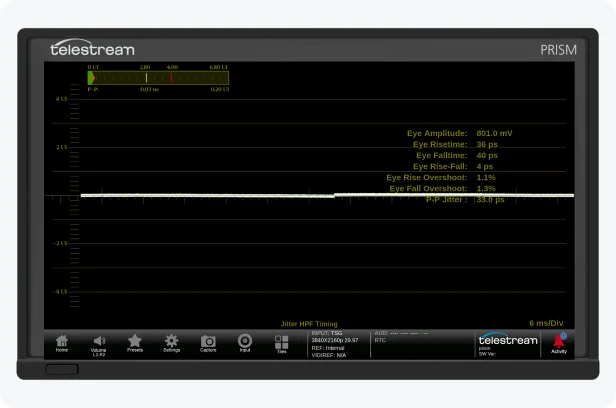
Jitter Display
The Jitter Display can be used in conjunction with the Eye display to measure the physical layer of the SDI signal. This feature is available in MPS300, MPD300, and MPP300 as standard. The FMT-4K option enables support for 6G and 12G SDI.
Learn More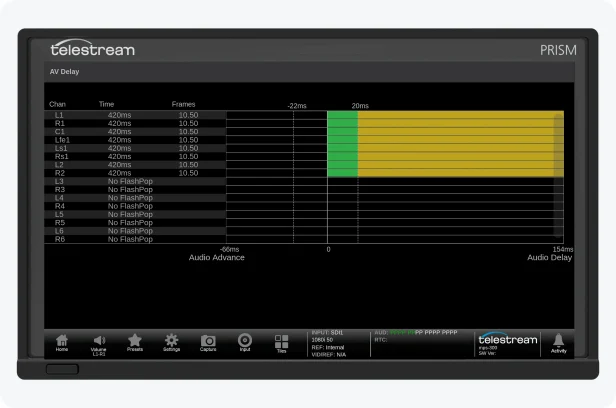
AV Delay
The Audio to Video Delay measurement measures the presentation time difference of Audio and Video using the AV Timing mode test signal (Flash & Pop) generated by the Telestream Sync Pulse Generator products. The user can measure lip sync timing of PCM / Dolby over SDI, ST 2110 and ST 2022-6 signals. Option ENG-QC is required for this application.
Learn More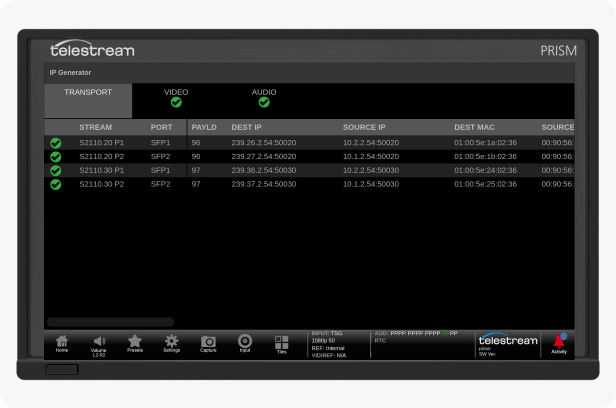
IP Display & Generator
IP Generator provides a simple test pattern generator for ST 2110 for color bars and audio tones. Requires GEN option.
IP Display outputs ST2110-20 stream of PRISM UI image. PRISM MPD models and units in EXTNDSP mode output two ST 2110-20 streams to transmit both left and right display images.
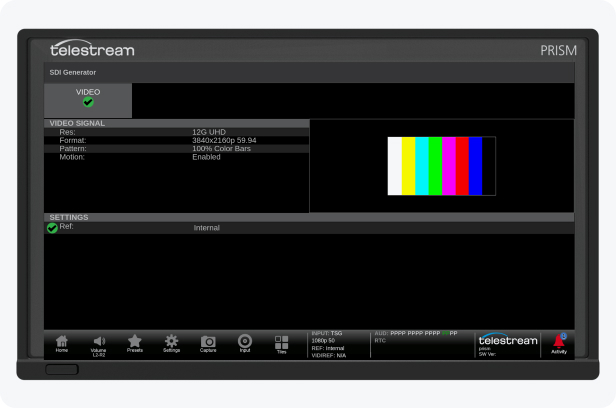
SDI Generator
SDI Generator provides a simple test pattern generator with color bar test signal. Requires GEN option.
Learn MoreStreamline your SDI to IP transition
PRISM’s hybrid architecture—available in both the 200 and 300 Series—enables seamless monitoring across SDI and IP workflows. Easily transition between formats and manage both environments from a single, integrated platform. AUX SDI Output can be used as IP gateway simplifying QC system. ST2110 display output makes system integration easier.
PRISM supports a wide range of formats and resolutions—from SD and HD to 4K and 8K—making it ideal for hybrid environments. It offers four SDI inputs supporting up to 12G, along with two IP inputs up to 25G, with full support for ST 2110, ST 2110-22, ST 2022-7, ST 2022-6, and PTP synchronization.
PRISM enables simultaneous monitoring of up to four inputs in any combination of SDI and IP, HD and UHD, and SDR and HDR signals. Users can compare signal paths to identify discrepancies, evaluate multiple camera sources, and assess SDR and HDR images from a single interface.
PRISM provides a comprehensive set of tools for monitoring embedded audio and ST 2110-30/31 audio streams: audio level bars, loudness measurement, surround sound displays, Lissajous patterns, audio session analysis and more. It supports multi-channel monitoring for 5.1, 7.1, and 7.1.4 mixes, with optional Dolby decoding for precise audio evaluation.
PRISM supports ST 2110 (including 20, 21, 30, 31, 40 and 43), ST 2022-6, ST 2022-7, and PTP synchronization. It offers a comprehensive suite of tools to verify stream compliance, monitor network performance, and troubleshoot IP-related issues, ensuring reliability across complex media networks.
PRISM provides a robust suite of applications to support signal compliance and performance measurement including Audio to Video Delay, SDI Physical Layer Measurement and ANC Data analysis.
PRISM is available in models that provide eye and jitter displays with automated measurements, enabling users to assess the integrity of the SDI transmission path.
Interoperability
Works with
Streamline your Test & Measurement workflows through seamless integration with signal generation, monitoring, and content ingest tools.

SPG9000
The SPG9000 sync generator adapts to a multitude of timing sources and is highly versatile with extensive reference distribution options.

Shared visibility into signals, timing, and network health specifically designed for ST 2110 workflows for engineers, operators, and shaders.

Live Capture
The industry’s most comprehensive 2110 solution for capturing, ingest and processing live content in real time – powered by Vantage.
TRUSTED BY THE BEST
Customer stories

Our main test and measurement tool
For MCI, the Telestream PRISM has become our main test and measurement tool for both IP and SDI workflows.

Two full displays from a single scope
Telestream PRISM has been responsive to the marketplace by allowing two full displays from a single scope versus squeezing it all together in a single display, a unique feature which our video shader positions rely on. Not having to buy two full units certainly saves on cost and installation.
Learn More
Resources
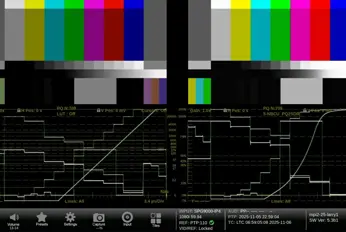
PRISM 5.3 with Enhanced 3D LUT Support and Remote Production
Read how PRISM simplifies HDR/SDR monitoring in live broadcasts.
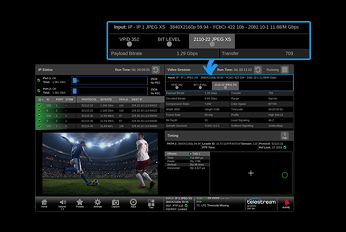
Unlocking Live Remote Production
Learn how PRISM’s support for JPEG XS addresses the challenges of remote production.
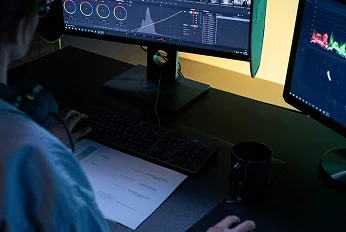
Luminance Qualified CIE for Precise HDR Monitoring
Explore how luminance-qualified CIE charts help production teams isolate color ranges for accurate camera adjustment and improved signal compliance.